Pro Tools 9
Course details
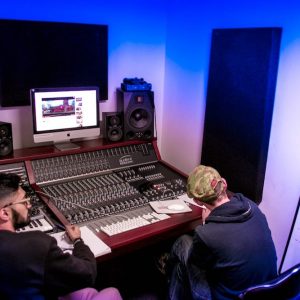
Our Pro Tools course has been designed to teach you how to effectively use the powerful functions that Pro Tools has to offer in order to accomplish professional sounding recordings. The course is aimed at the entry level student or for those looking to enhance their existing knowledge of Pro Tools.
This Pro Tools course is also particularly suitable for people who are thinking of purchasing a project studio or computer workstation where our tutors can offer informed and impartial advice that will help you choose the best combination to suit your budget.
During the Pro Tools course you go through the subjects necessary to use Pro Tools in an efficient and productive manner. The overall objective of the course is to enable the student to record and mix music using the tools within Pro Tools including the following areas:
• Introduction to Pro Tools and equipment
• Microphone placement techniques
• Recording instruments and vocals
• Audio editing and workflow
• Composition, arrangement and song structure
• Creative use of fx processors
• Mixing techniques and concepts
• Mastering techniques
This Pro Tools course is only available on a one to one individual tuition basis.
Key features of One to One courses
- • Enrol anytime throughout the year - you could be starting your course within a week
- • You set the start date and subsequent classes – fit the course around your lifestyle
- • Pick your own study times – this can be mornings, afternoons, evenings or weekends
- • Ability to accelerate the course – 8 week courses can be completed in as little as 2 weeks
Course fees
One To One
Start time: flexible
Course information
Introduction to Pro Tools tools and functions.
- • Introduction to Pro Tools 9
- • Signal flow and connections
- • Integrating audio interfaces and controllers
- • Use of editors and arrange pages
- • Improving workflow
- • Basic microphone techniques
- • Multitrack recording
Mixing and mastering techniques.
- • Sound principles and monitoring
- • Introduction to mixing techniques
- • Understanding equalizers and filters
- • Using compressors and limiters
- • Creative use of delay, reverb and modulation effects
- • Separation, stereo imaging and placement
- • Mastering techniques
To discuss the Pro Tools course content in more detail contact us on
0207 247 8800 and we will be happy to assist.